
PARTNERS · INTEGRATIONS
One twin. Every screen you run.
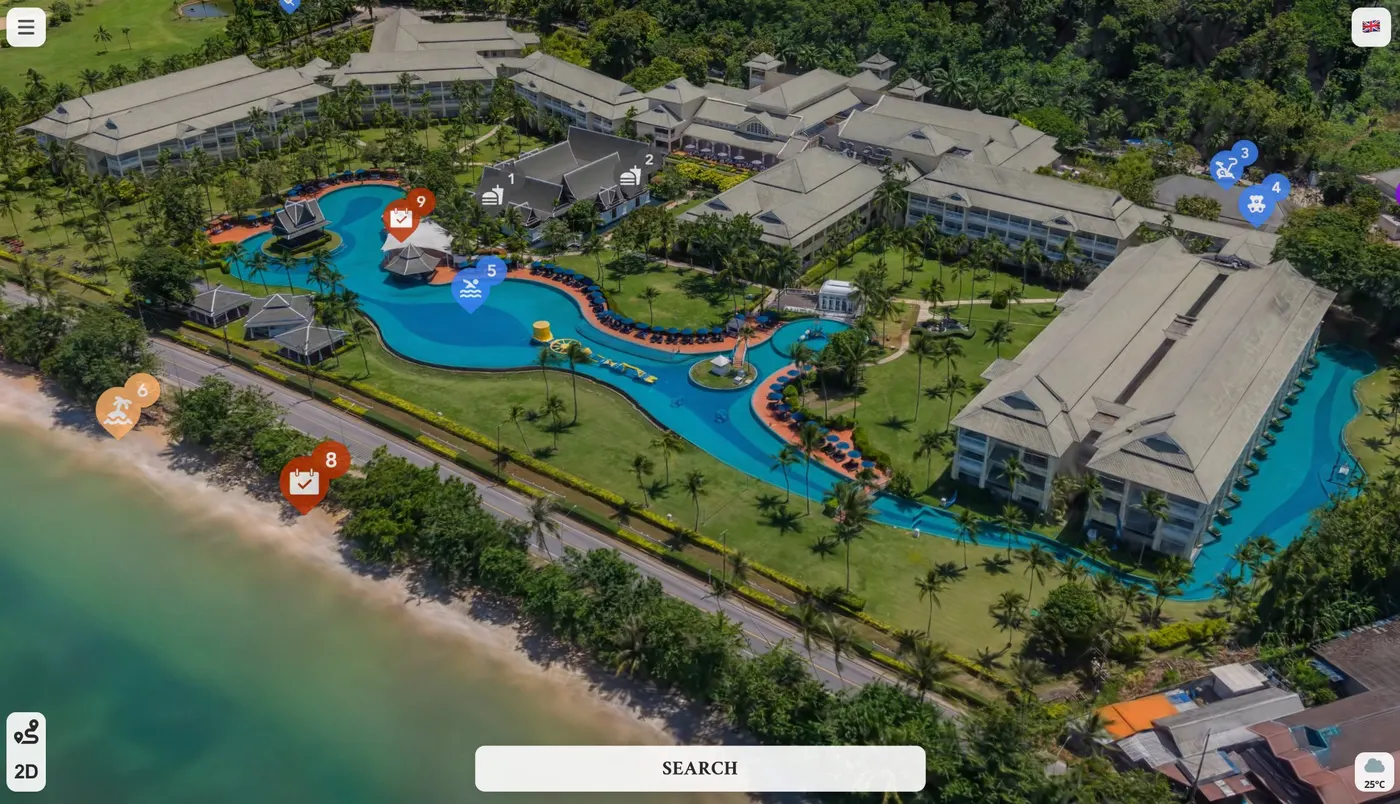
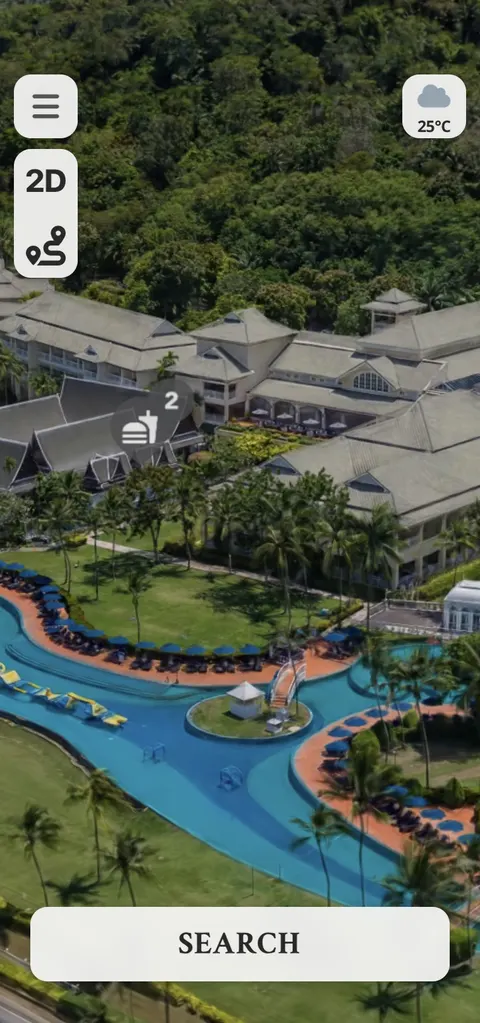
Your website, your booking journey, the kiosk at the gate, the concierge’s tablet, your own app. HypaSpace drops into all of them with a single block of code, and every visit comes back as data your BI tools can use.
- One block of code
- Change it once, live everywhere
- Your data, in your systems
<iframe
src="https://3d.hypamaps.com/your-place"
allow="fullscreen; geolocation"
loading="lazy"></iframe>
ONE TWIN, EVERY SCREEN
If it can show a map, it can show yours.
The same live twin runs wherever your visitors and your team already look. Nothing to rebuild for each one, and nothing to keep in step by hand.
-
 WEBSITE
Your website
Home page, landing pages and campaign microsites. Visitors explore your place without leaving your site.
-
 BOOKING
Your booking journey
Show the room, the pitch or the table right where the booking happens. A button on the map takes visitors straight into your booking engine, and every click is counted.
-
 KIOSKS
Kiosks and big screens
Touchscreens at the gate and screens in reception, showing today’s closures and events the moment you publish them.
-
 CONCIERGE
Concierge and staff tablets
Front desk, guest services and stewards use the map visitors see, and send a link that opens on the exact spot.
-
 APPS
Your own app
Put the twin inside your iOS or Android app. Our recipes handle location, the compass and media for your developers.
-
 LINKS AND QR CODES
Emails, tickets and signs
Confirmation emails, tickets, posters and social posts. Every link can open on a place, a tour or a language.
HOW IT WORKS
Paste it once. It stays in step for good.
No plug-ins, no servers and no app store review. HypaFlow writes the code for you, and every change you make afterwards reaches every screen on its own.
- STEP 01
Copy the code
In HypaFlow, open your map’s web address and choose Embed. Pick where it opens: a place, a tour, a category or a language.
- STEP 02
Paste it anywhere
WordPress, Squarespace, Wix, Webflow or your own build. For apps, your developers show the same map in a WebView, with our tested recipes for iOS, Android, React Native and Flutter.
- STEP 03
Change it once
Close a path, add an event or update a menu in HypaFlow, and every website, kiosk and app shows it straight away. Nobody pastes anything twice.
<iframe
src="https://3d.hypamaps.com/your-place?tour=highlights"
title="Your place, interactive map"
allow="fullscreen; geolocation; accelerometer; gyroscope; magnetometer; web-share"
allowfullscreen
referrerpolicy="strict-origin-when-cross-origin"
loading="lazy"></iframe>WHY IT MATTERS
Built to fit what you already run.
Most place technology asks visitors to come to it. HypaSpace goes to them, inside the systems you’ve already paid for.
- 01
One source of truth
Change it once in HypaFlow and every website, kiosk and app follows. No reprints, no re-uploads, no out-of-date screens.
- 02
Nothing to host, nothing to break
The map runs on our servers, in its own secure frame. Your site’s code can’t break the map, and the map can’t break your site.
- 03
Light on your pages
The map loads only when a visitor scrolls to it, so the rest of your page loads as fast as it does today.
- 04
Your brand around it
Your website, your colours and your logo. White-labelling on Professional and Enterprise takes our branding off altogether.
- 05
Every visit counted
Website, kiosk, app or QR code: every visit lands in the same HypaKnow dashboard, with a report of the websites that send them.
- 06
No developer needed
Anyone who edits your website can add the map. When your developers want more, they get a full guide to apps, kiosks and security settings.
YOUR DATA, YOUR SYSTEMS
From the map to the boardroom.
Every visit to your twin leaves clean, structured data: where people went, what they searched for, which tours they finished and which buttons they pressed. HypaKnow shows it to your team. Our APIs take it into the systems you already trust.
- Website
- Kiosk
- App
- QR code
- Power BI
- Tableau
- Looker Studio
- Excel and Google Sheets
- Your data warehouse
- Your own code
- 01 PROFESSIONAL · ENTERPRISE
Download
A CSV from every dashboard panel, a period summary for the board pack and a full PDF report, whenever you need them.
- 02 ENTERPRISE
A dedicated API
Query the same metrics our dashboards use, by place, date, device, language and source, straight from your own code.
- 03 ENTERPRISE
Connect your BI
Bring HypaSpace into Power BI, Tableau or Looker beside ticketing, EPOS and CRM, so the map sits in the same view as the rest of the business.
- Visits and session length
- Places opened, and how long people stay
- Searches, and whether they found anything
- Routes planned and step-by-step navigation
- Tours started, finished and abandoned
- Buttons pressed, and where they led
- Audio and video played
- Languages chosen
- Country, device and platform
- The websites that sent each visit
- Line up what visitors explored with what they booked, bought and came back for
- Report the map on the same dashboards, and to the same definitions, as everything else
- Feed staffing, space-planning and marketing models with how people really move
- Keep a history that’s yours, ready for any tool you choose next
- Scoped to your places alone, and yours to take whenever you ask
 FOR SAFETY
- See where and when crowds build, so stewarding and first aid follow how people really move
- Give risk assessments and Martyn’s Law planning real evidence of how your site is used
- Review busy routes and pinch points with your safety team, from the same data as everyone else
WHAT’S IN EACH PLAN
Start simple. Go deeper when you’re ready.
| Integrations | Basic | Standard | Professional | Enterprise |
|---|---|---|---|---|
| Embed code, links and QR codes | ||||
| Open on a place, a category or a language | ||||
| Wayfinding on kiosks, staff devices and in your app | – | |||
| Buttons into your booking engine | – | |||
| White-labelling and custom branding | – | – | ||
| Data export · CSV from every panel, PDF reports. | – | – | ||
| API access and BI connection · For bespoke integrations, within the scope agreed on your Order Form. | – | – | – |
QUESTIONS FROM IT TEAMS
The short answers.
- Do we need a developer?
- No. Anyone who can edit your website can paste the embed code. Your developers get a full guide when they want to go further.
- Will it slow our website down?
- Not when the page loads. The map loads only when a visitor scrolls to it, and the heavy lifting runs in its own frame, from our servers.
- What does our security team need to do?
- If your site sends a Content Security Policy, allow one address: 3d.hypamaps.com. The map can’t read your page, and your page can’t read the map.
- Does it work on a kiosk?
- Yes. Any touchscreen with an up-to-date browser can run the map full screen, and it updates the moment you publish in HypaFlow.
- Who owns the data?
- You do. It’s scoped to your places, and you can export it or take it into your own systems whenever you like.
- Do visits from our app count?
- Yes. Every visit counts in your dashboard, wherever the map is shown.
BOOK A DEMO
Bring your web and data teams.
A 20-minute call. We’ll show a live twin inside a website and an app, walk your data team through the API, and answer the technical questions there and then.